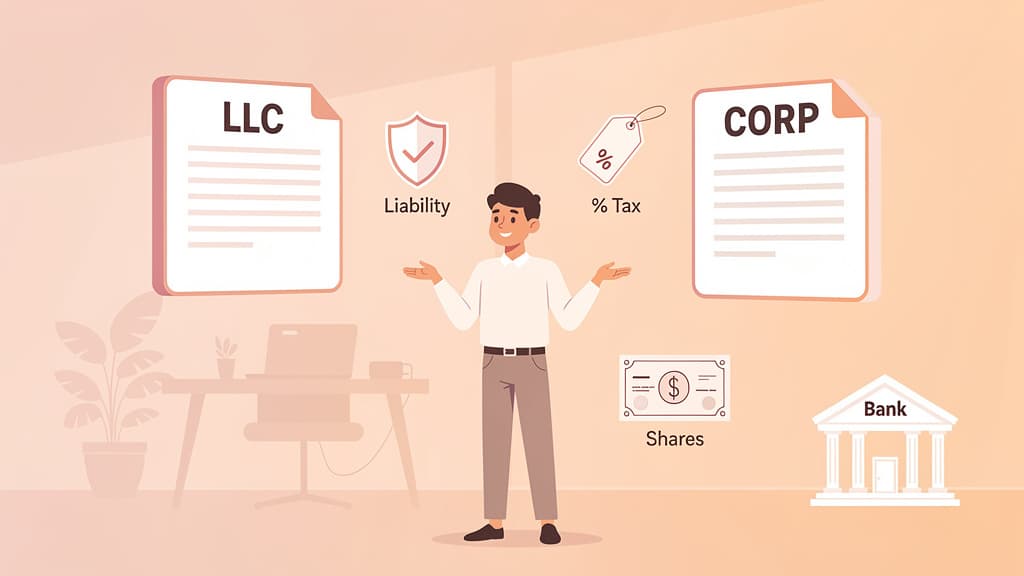
Registering a business name in California takes one of three paths. Forming an LLC or corporation registers the name automatically when the Secretary of State accepts the filing ($70 for an LLC, $100 for a stock corporation). Operating under a name that isn't your legal name means filing a Fictitious Business Name (FBN) statement with your county clerk (about $25–$60), which California requires within 40 days of starting business and includes a four-week newspaper publication step. Neither one gives you trademark rights; that is a separate filing.
Key takeaways:
- Check availability first on the California Secretary of State's bizfile Online database (LLCs, corporations, partnerships) and your county's FBN index for DBAs.
- Name reservation: $10 holds a name for 60 days; it cannot be renewed back-to-back.
- Entity name registration: $70 (LLC Articles of Organization) or $100 (Articles of Incorporation). The formation filing is the name registration.
- DBA / FBN: filed at the county level, not the state; roughly $25–$60, plus a required newspaper publication once a week for four consecutive weeks. An FBN statement expires after 5 years.
- Trademark is the only layer that stops competitors from using your name: $70 per class with California, $350 per class with the USPTO.
What some states call an assumed name certificate or trade name, California calls a Fictitious Business Name statement. The steps below cover each path, with current fees as of 2026.
California requires entity names to be distinguishable from businesses already on file with the Secretary of State, so confirm availability before you commit to a name.
- Search the California Secretary of State's bizfile Online database. This covers LLCs, corporations, and limited partnerships registered in the state.
- Run a trademark search on the USPTO database so your name isn't already protected at the federal level.
- If you'll operate under a DBA, check your county clerk's fictitious business name index too. FBN filings live at the county level, not in the state database, so a name can be free at the state and taken in your county.
- Confirm domain and social handle availability if you plan an online presence. Our business name generator can help you find open alternatives.
An online California business name search is preliminary, not a guarantee. The Secretary of State only confirms availability when it processes and accepts your actual filing.
California lets you reserve a name for 60 days so no one else can claim it while you finish your setup. This is optional, and useful only when you're not ready to file formation documents yet.
- Submit a Name Reservation Request through bizfile Online; the Secretary of State recommends online filing for faster service.
- Fee: $10 per reserved name. An extra $10 special handling fee applies only if you drop off a paper form in person.
- The reservation cannot be renewed for consecutive 60-day periods. You can reserve the same name again, but at least one day must pass between reservation periods.
- Reserving a name doesn't guarantee it meets every requirement for your entity type. Names are fully reviewed only when you file your formation documents.
If you're serious about the name, file your formation documents inside the 60-day window rather than treating the reservation as long-term parking.
Your name is registered as part of forming your entity. California does not require a separate name registration if you form a legal entity under that name — the formation filing is the registration.
- LLC: File Articles of Organization (Form LLC-1) through bizfile Online. Filing fee: $70. Your LLC name is registered the moment the state accepts the filing. Full walkthrough in our California LLC formation guide.
- Corporation: File Articles of Incorporation. Filing fee: $100 for a stock corporation. Not sure which structure fits? See our LLC vs. corporation comparison.
- Sole proprietorship or general partnership: There's no state-level name registration. If you operate under anything other than your own surname, you file a Fictitious Business Name (FBN) at the county level (Section 4 below).
- Out-of-state businesses: If your company is registered elsewhere but wants to operate in California, register as a foreign entity with the Secretary of State before doing business in the state.
Two follow-up filings catch new owners off guard. First, California LLCs and corporations must file an initial Statement of Information within 90 days of formation ($20 for LLCs, $25 for corporations). Second, registering your name doesn't register your tax accounts. You'll still need an EIN from the IRS (here's how to file Form SS-4) and, for LLCs and corporations, you'll owe California's $800 minimum franchise tax. Our California LLC taxes guide covers the forms and deadlines.
Budget for the whole stack, not just the name: formation fee, Statement of Information, and the $800 annual franchise tax. The name registration itself is the cheapest part.
A DBA (Doing Business As) lets you operate under a name different from your official one. In California it's officially a Fictitious Business Name (FBN) statement. It's the most common filing for sole proprietors, and it's how an LLC or corporation runs a second brand without forming a new entity.
An FBN doesn't create a separate legal entity, and it doesn't change your liability or tax status. Your legal name stays the one on file with the Secretary of State (or your personal name, for sole proprietors); the FBN is simply an alternate, public-facing name your existing business uses. California FBN filings are also non-exclusive: registering one doesn't stop another business from using a similar name. Real name protection comes from the trademark layer in Section 5.
- Any business type (sole proprietors, partnerships, LLCs, corporations) can file an FBN, and you can register multiple DBAs under one business.
- File with the county clerk in the county of your principal place of business, not with the Secretary of State. California law (Business and Professions Code §17910) expects the statement to be filed within 40 days of starting to transact business under the name.
- Filing fees vary by county, typically $25–$60 for the first name. In Los Angeles County, it's $26 for the first name plus $5 for each additional name or registrant.
- Publication requirement: within 30 days of filing, publish the statement in an adjudicated newspaper in that county once a week for four consecutive weeks, then file an affidavit of publication with the county clerk within 30 days after the last run.
- An FBN statement expires after 5 years. Renew before expiration. If nothing has changed, most counties don't require re-publication on renewal.
Newspapers handle FBN publication constantly, and many county clerk websites list approved papers. Ask the paper to file the affidavit of publication for you; most will.
Registering your name with the state or county gives you the right to use it, but it doesn't stop a competitor in another county (or state) from trading on it. Trademarks do that, and you have two layers to choose from.
- California state trademark: File with the Secretary of State's Trademark Unit. Fee: $70 per classification, valid for 5 years, renewable in the final 6 months for $30. Good protection if you only operate in California.
- Federal trademark (USPTO): Nationwide protection. The base application fee is $350 per class as of 2026, with surcharges for incomplete or custom-wording applications. Worth it the moment you sell across state lines.
A trademark protects the name as a brand; entity or FBN registration protects it as a legal identity. Growing businesses usually end up needing both.
Registration answers "can I legally operate under this name," not "does this name belong only to me." Four common misconceptions:
- It doesn't give you trademark rights. An LLC name or an FBN can coexist with an identical brand in another county. Only a state or federal trademark blocks others from using the name.
- A DBA doesn't create a business or a liability shield. A sole proprietor with an FBN is still personally liable. Liability protection comes from forming an LLC or corporation, not from the name filing.
- It doesn't set up your taxes. You still need a federal EIN, and LLCs and corporations still owe the $800 franchise tax and must file a Statement of Information.
- A name search isn't a reservation. Availability today doesn't hold the name; only a $10 reservation or your accepted formation filing does.
You can change your official business name anytime, but it requires a filing rather than just updating your website. For an LLC, our step-by-step LLC name change guide covers the LLC-2-NA amendment and the IRS notice.
- File a Certificate of Amendment with the California Secretary of State via bizfile Online. Fee: $30 for LLCs and corporations.
- Update your records with the IRS, the California Franchise Tax Board, and the CDTFA if you hold a seller's permit.
- Notify your bank, vendors, insurers, and licensing agencies.
- If the old name had an FBN attached, file an abandonment with the county and a new FBN statement for the new name.
Then run the branding sweep: website, invoices, contracts, social profiles, and anywhere else the old name appears.
The full fee picture, current as of 2026:
| Filing | Fee | Where |
|---|
| Name reservation (60 days) | $10 | Secretary of State |
| LLC Articles of Organization (LLC-1) | $70 | Secretary of State |
| Articles of Incorporation (stock corp) | $100 | Secretary of State |
| Initial Statement of Information | $20 LLC / $25 corp | Secretary of State |
| FBN / DBA filing | ~$25–$60 + publication | County clerk |
| Certificate of Amendment (name change) | $30 | Secretary of State |
| California state trademark | $70 per class | Secretary of State |
| Federal trademark (USPTO) | $350 per class | USPTO |
Keep digital copies of every receipt, stamped filing, and certificate. You'll need them for business banking, licenses, and tax accounts.
Once your California business is registered and you open a business bank account, the paperwork shifts from filings to bookkeeping. Jupid is an AI accountant that connects directly to your business bank account and categorizes every transaction at 95.9% accuracy, so income and deductions stay organized from your first sale. You ask questions in plain language over WhatsApp or iMessage ("how much did I spend on filing fees this quarter?") and get answers from your real bank data. Try Jupid and start with books that keep pace with your new business.
This guide is for general educational purposes and does not constitute legal or tax advice. California fees and filing rules can change; confirm current amounts with the Secretary of State and your county clerk. For advice specific to your situation, consult a qualified professional.