

AI & AccountingJun 29, 2026
Private AI for Accountants: The Complete 2026 Guide
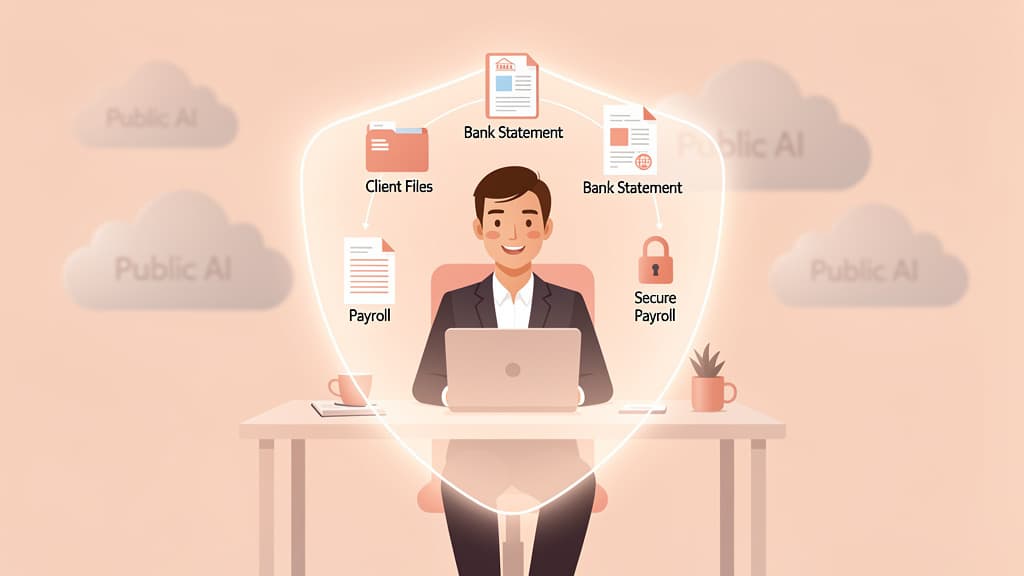
Private AI lets accounting firms use AI on client data without sending it to ChatGPT or Copilot. The complete 2026 guide to what it is and how to choose.
Read more
Fact-checked by Jupid experts
Reviewed by our in-house tax team before publishing. Every figure is validated against:
Last reviewed: September 2, 2026
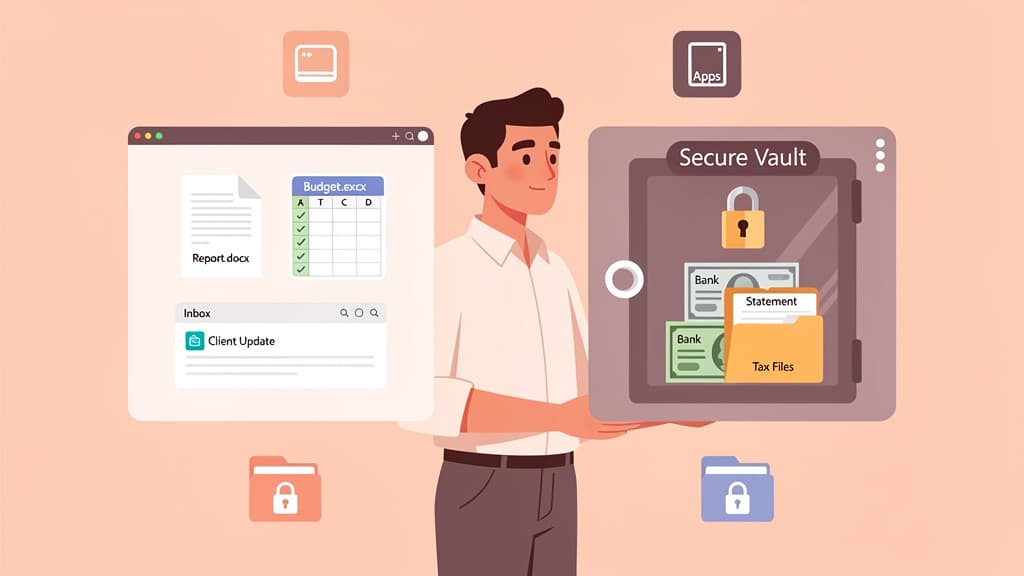
Microsoft 365 Copilot is safe for client data under commercial terms, with conditions: Microsoft does not train foundation models on your prompts or files, Copilot only surfaces what the signed-in user already has permission to see, and your tenant's encryption, sensitivity labels, and retention policies carry over. The catch is fit, not safety. Copilot is a productivity layer over the content already in Microsoft 365, while most client data an accounting firm works with lives in bank statements, QuickBooks, Stripe exports, payroll runs, and emailed PDFs, which is the job a private AI built for client files does instead.
Key takeaways:
I'm Slava, founder of Jupid. Before this I built Anna Money, where we worked with more than 60,000 small businesses, many of them running on Microsoft 365, and the question I now hear constantly from the accountants serving them is some version of: "We already pay for Copilot. Can I just use it for client work?" This comparison answers it from Microsoft's own documentation, line by line, and then explains how a private AI fits alongside it.

Yes, with conditions — and the conditions are the whole story.
Microsoft 365 Copilot, under commercial and enterprise terms, gives you strong contractual data protections. Microsoft acts as a data processor under its Data Protection Addendum and Product Terms, your prompts and responses are not used to train foundation models, and Copilot only ever surfaces data the signed-in user already has permission to see. That is a real, defensible baseline, and it is far better than employees pasting client details into a free consumer chatbot.
The conditions are where firms get into trouble. Copilot is "only as safe as the access it's given." If a junior staffer can already open a SharePoint folder full of client tax returns, Copilot can summarize them too. If your sharing permissions are loose, Copilot makes that looseness faster and more obvious. And separate from Microsoft's security, IRC Section 7216 still governs what client tax-return information you may feed into any tool and what consent you need first — Copilot doesn't change that obligation.
So the safety question isn't really "is Copilot secure?" Microsoft has done that part well. The real question is "is Copilot the right place to do client-data accounting work?" For drafting and summarizing inside Microsoft 365, it's a strong yes. For working with the raw client records that make up bookkeeping, tax prep, and payroll, it wasn't built for that — and the rest of this guide explains why.
Microsoft is specific in its documentation, so let me quote it rather than paraphrase.
No training on your data. Microsoft states plainly: "Prompts, responses, and data accessed through Microsoft Graph aren't used to train foundation LLMs, including those used by Microsoft 365 Copilot." It also commits more broadly: "We won't use your data except as you instruct." Your client work doesn't become training fodder.
Your data stays inside the service boundary. Per Microsoft, "the information contained within your prompts, the data they retrieve, and the generated responses remain within the Microsoft 365 service boundary." Copilot runs on Azure OpenAI services, not the publicly available OpenAI products, and Microsoft says Azure OpenAI doesn't cache Copilot's content. Microsoft 365 Copilot has also opted out of the human-review abuse monitoring available in Azure OpenAI.
Your permissions and policies carry over. Copilot respects your identity model and permissions, inherits your sensitivity labels, applies your retention policies, supports audit of interactions, and follows your admin settings. Data is encrypted at rest and in transit, with tenant isolation. The compliance list is long: GDPR, ISO 27001, ISO 42001 for AI management, and HIPAA for properly configured implementations.
Admins control agents. Any third-party agent or connector you bolt on has its own terms. Microsoft tells admins to "check the privacy statement and terms of use of the agent to determine how it will handle your organization's data." Admins choose which agents are allowed at all.
There is one nuance worth knowing, even though it mainly affects firms in the EU. Microsoft 365 Copilot is positioned as an EU Data Boundary service for EU customers. But a 2026 capability called Flex Routing lets EU and EFTA tenants allow LLM inferencing to happen outside that boundary during peak demand. Microsoft's documentation says flex routing "is on by default for eligible tenants that were created after March 25, 2026," and that when enabled, "LLM inferencing may occur in the United States, Canada, or Australia during times of peak demand." Data at rest stays inside the boundary except for limited pseudonymized data, and admins can switch flex routing off in the Microsoft 365 admin center. Separately, Microsoft notes that "Anthropic models are out of scope for the EU Data Boundary."
I'm not raising Flex Routing to scare anyone — for a US firm the EU boundary isn't your concern. I'm raising it because it makes a larger point concrete: with Copilot, the configuration is yours to manage. Microsoft gives you the controls; whether they're set correctly for regulated client data is on your firm.
Inside Microsoft 365, Copilot earns its keep. These are the jobs it's actually built for, and where I'd happily recommend it.
Drafting and editing in Word and Outlook. Engagement letters, internal memos, client emails, first drafts of a finding write-up. Copilot is fast at turning bullet points into clean prose in your tone, then tightening what you wrote.
Summarizing Teams meetings and long documents. A client call recap, the gist of a 40-page lease, the action items buried in a thread. This is genuinely useful and saves real time during busy season.
Excel work. Formula help, explaining what a gnarly workbook is doing, building a variance analysis, spotting patterns in data that already lives in the sheet. For a profession that lives in spreadsheets, this is a meaningful productivity lift.
PowerPoint and internal knowledge search. Drafting a client-review deck from a memo, or asking across your own SharePoint and email for "the latest version of the X engagement scope." When the answer already exists somewhere in your tenant, Copilot is good at finding and reshaping it.
The common thread: Copilot is excellent at working with content you already created and already have permission to access, inside the Microsoft apps you already use. That's a real category of value, and it's most of what Microsoft markets Copilot for.
Now the honest other half. None of these are security failures on Microsoft's part. They're about what Copilot is and isn't designed to do.
Most client data lives outside Microsoft 365. This is the big one. The records that make up bookkeeping, tax prep, and payroll — bank and credit card statements, QuickBooks Online ledgers, Stripe and PayPal exports, payroll reports, prior-year returns, receipts your client texts you — mostly don't sit in your tenant as tidy Microsoft files. Copilot reaches outside content only through Graph connectors or agents you deliberately build and govern. Out of the box, it can't read a client's bank PDF or reconcile their QBO transactions, because that data was never in its reach.
It's a productivity layer, not a per-client workspace. Copilot has no built-in concept of "this is the Johnson file, here's their year, here are their books." You'd have to manufacture that structure yourself with SharePoint folders, permissions, and naming conventions, then hope a prompt pulls from the right place. There's no client-file boundary keeping one client's records from bleeding into another's answer except the access rules you maintain by hand.
It amplifies whatever permission mess you already have. Because Copilot surfaces anything the user can already access, sloppy sharing becomes a liability at speed. Microsoft is explicit that "Microsoft 365 Copilot only surfaces organizational data to which individual users have at least view permissions" — which is the protection and the catch at once. Security analysts have flagged the scenario where a staffer asks Copilot to "summarize recent client files" and gets a digest that quietly includes a folder someone forgot to lock down. The fix is real work: permission audits, sensitivity labels, DLP, and retention policies in Microsoft Purview before you turn it loose on regulated data.
Section 7216 doesn't go away. Microsoft's enterprise terms protect your data in transit and at rest. They do nothing to satisfy your own obligations as a preparer. IRC Section 7216 still governs how you may use and disclose client tax-return information, and feeding that information into an AI tool can require client consent depending on the facts. That responsibility is yours regardless of which AI you use. I go deep on this in Can accountants use ChatGPT? IRS Section 7216 and confidentiality.
The admin and governance burden is ongoing. Getting Copilot ready for client data isn't a switch you flip. It's permissions cleanup, label rollout, agent vetting, and monitoring — and then keeping all of that current as your firm changes. That's doable for a firm with IT muscle. For a small practice, it's a lot.
The clearest way to think about it is task by task. Use Copilot for the Microsoft-365 productivity layer; use a private AI built for client files when the work is the client's actual records.
| Task | Use Copilot | Use a private AI (Jupid) |
|---|---|---|
| Draft or polish a client email in Outlook | Yes | — |
| Summarize a Teams meeting or a long Word document | Yes | — |
| Build or debug an Excel formula and variance analysis | Yes | — |
| Search your firm's own SharePoint, files, and email | Yes | — |
| Draft a PowerPoint deck from an existing memo | Yes | — |
| Categorize a client's bank and card statements | — | Yes |
| Turn a stack of invoices and receipts into clean working notes | — | Yes |
| Reconcile QuickBooks Online or payroll reports to the books | — | Yes |
| Pull figures from a client's prior-year tax return | — | Yes |
| Work with data that lives outside Microsoft 365 (bank PDF, Stripe export) | — | Yes |
| Keep one client's records walled off from another's | — | Yes |
| Draft a personalized client follow-up from their real numbers | Sometimes | Yes |
The pattern isn't "Copilot bad, private AI good." It's that the left column is content you own inside Microsoft, and the right column is client records that need a per-client file boundary and reach beyond your tenant. Two different jobs.
The oversharing problem is not theoretical. Concentric AI's 2H 2025 Data Risk Report found 16% of business-critical data overshared, an average of 802,000 files at risk per organization, 83% of them exposed internally. Copilot does not create that exposure; it makes it searchable in plain English. The same report flags a second gap: Copilot outputs do not inherit the sensitivity labels of their source files, so a summary of a labeled client return can leave the tenant as an unlabeled document unless someone catches it.
For a tax practice, the governing framework already exists. The FTC Safeguards Rule requires a Written Information Security Plan (WISP) from anyone who prepares returns for compensation, and IRS Publication 4557 is the tax-professional playbook for meeting it. Copilot belongs in that plan as a named system, not as a productivity add-on nobody documented.
The firms getting the most out of AI in 2026 aren't picking one tool. They're matching the tool to the work.
Keep Copilot for what Microsoft built it for: drafting, summarizing, Excel help, and searching across the documents your team creates. Turn it on across your Microsoft 365 apps and let it cut the writing and meeting overhead.
Bring in a private AI for the client-data layer — the bookkeeping, the statement categorization, the reconciliations, the figures pulled from returns and payroll. That work needs a per-client context that Copilot doesn't provide and reaches into systems Copilot doesn't natively touch.
A practical division of labor looks like this. The private AI does the client-records work: it ingests the bank statements and invoices, matches them to the books, and produces clean working notes for the client's file. Then Copilot, sitting in Outlook, helps you turn those notes into a polished client email in your firm's voice. Each tool does the part it's good at, and the client's raw financial records never need to ride along into the general productivity layer.
Jupid Private AI is a private AI workspace for accounting firms that works directly with client records — bookkeeping, tax prep, payroll, and client advisory (CAS) — without sending invoices, tax documents, payroll files, or client emails to Copilot, ChatGPT, Claude, Gemini, or any outside AI system.
Instead of one shared productivity assistant, it builds a per-client "private context window." For each client, it turns statements, invoices, payroll reports, and prior filings into client-ready working notes, matches those records against the books, and drafts personalized client follow-ups in your firm's tone. The client's file stays the client's file.
I think of it as the complement to Copilot, not a competitor to it. Copilot handles the Microsoft 365 productivity layer — your drafts, your meetings, your spreadsheets. Jupid handles the real client-data work that lives outside those apps and needs a per-client boundary. A firm can run both, each doing the part it's built for.
Jupid Private AI is in Beta, and we're setting firms up done-for-you rather than handing over a config project. If you want to see whether the client-file layer fits your practice, that's the conversation to have. You can read the full breakdown in Private AI for accountants: the complete 2026 guide, or start here: Jupid Private AI for accountants.
This guide is for general educational purposes and does not constitute legal, tax, or accounting advice. Microsoft's product terms, data-handling practices, and Copilot features change over time — verify the current terms in Microsoft's own documentation before relying on them. Section 7216 outcomes are fact-specific and depend on your circumstances. Consult qualified counsel and a tax professional about your firm's use of any AI tool with client data.
Tax Year: 2026 Last Updated: September 2, 2026

CEO & Co-Founder
Fintech CEO with 10+ years building accounting and financial technology products. Previously co-founded and scaled an AI-powered accounting platform to $30M revenue and 100K+ business users, achieving 30,000 customers per accountant through automation — recognized by CNBC as a top fintech company. Holds a Master's in Management Information Systems. At Jupid, he leads the development of AI-native bookkeeping, tax, and compliance tools designed for freelancers and small business owners.
Private AI lets accounting firms use AI on client data without sending it to ChatGPT or Copilot. The complete 2026 guide to what it is and how to choose.

Run AI on your own hardware so client data never leaves the office. A 2026 guide to local LLMs for accountants: tools, models, hardware, and limits.
Yes, but not with client-identifiable tax data. IRC §7216 makes that a crime, and 2026's Heppner ruling shows AI chats aren't privileged.
Set up in minutes. Cancel anytime.
Join 1,000+ businesses using Jupid to save time and money. Start simplifying your finances today.
30-day money-back guarantee