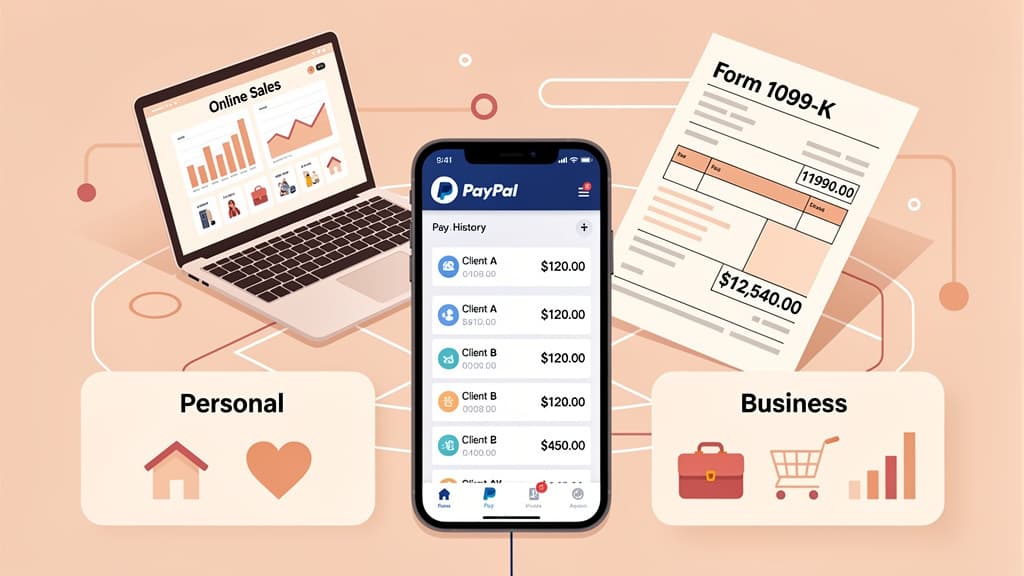
PayPal sends you a Form 1099-K for 2026 only if your goods-and-services payments exceed $20,000 AND you have more than 200 transactions in the calendar year. The One Big Beautiful Bill Act (signed July 4, 2025) permanently restored this threshold, so the $600 rule that made headlines never took effect for PayPal users, and the $2,500 and $5,000 phase-in thresholds are gone. Friends and family payments are never reported on a 1099-K, but business income you receive through PayPal is taxable from the first dollar, form or no form.
Key takeaways:
- PayPal issues a 1099-K only above $20,000 in gross payments AND more than 200 transactions, permanent under OBBBA (IRS 1099-K FAQs)
- Only goods and services payments count. Friends and family payments are excluded, but business payments disguised as friends/family are still taxable income
- Some states force the form far earlier: $600 in MA, VT, VA, MD, and DC; $1,000 in IL and NJ
- Venmo follows the same federal rules (both owned by PayPal Holdings), and each platform tracks its threshold separately
- The form reports gross payments: PayPal fees, refunds, and chargebacks are not subtracted from Box 1a
Key numbers for PayPal users (2026):
| Tax Item | 2026 Amount |
|---|
| Federal 1099-K threshold | $20,000 AND 200+ transactions |
| 1099-NEC reporting threshold | $2,000 (payments made in 2026) |
| Self-employment tax rate | 15.3% on 92.35% of net profit |
| PayPal goods-and-services fee | 2.99% + $0.49 (deductible) |
| 1099-K for 2026 available in PayPal | Around January 31, 2027 |
Legal basis: IRC §6050W (third-party payment reporting), One Big Beautiful Bill Act (2025), IRS Form 1099-K instructions

Yes. PayPal sends a Form 1099-K (not a 1099-NEC) to you and the IRS once your goods-and-services payments exceed $20,000 and 200 transactions in a calendar year. Below that, PayPal sends no federal tax form, though a lower state threshold can still trigger one, and your obligation to report business income is unchanged either way.
PayPal is classified as a third-party settlement organization (TPSO) under IRC §6050W. When you receive payments through PayPal for goods and services, PayPal is required to track those payments and report them to the IRS once you cross the threshold.
What gets reported:
- Payments received through PayPal labeled as "goods and services"
- Payments received through PayPal business account transactions
- Payments processed through PayPal checkout on websites and apps
- Venmo business profile payments
What does NOT get reported on 1099-K:
- Friends and family payments on PayPal
- Personal Venmo transfers (non-business profile)
- Payments you sent to others
Gross means gross. Box 1a is not reduced for PayPal fees, refunds, chargebacks, shipping, or discounts (IRS: What to do with Form 1099-K). If buyers paid you $22,000 and you refunded $3,000, the form still says $22,000; you subtract refunds and fees on your return using your own records.
For 2026 and all future years under OBBBA, PayPal must send you (and the IRS) a 1099-K only if both conditions are met in a calendar year:
- You received more than $20,000 in gross payments for goods and services, AND
- You had more than 200 separate transactions
Miss either threshold and PayPal has no federal obligation to file. If you received $25,000 across 180 transactions, no federal 1099-K is required. If you had 250 transactions totaling $18,000, no federal 1099-K is required.
However: PayPal may still voluntarily issue a 1099-K below these thresholds. Some payment processors choose to report at lower amounts, and state-level requirements often force this (more on that below).
They were repealed before they ever applied to PayPal users. The American Rescue Plan Act of 2021 set a $600 threshold with no transaction minimum; the IRS delayed it twice, then announced a phase-in of $5,000 for 2024, $2,500 for 2025, and $600 from 2026. OBBBA cancelled all of it in July 2025. Only the $5,000 threshold for tax year 2024 was ever actually used; from 2025 on, the original $20,000/200 rule is back for good (IRS 1099-K FAQs).
Many states set their own, lower 1099-K reporting thresholds. If you live in one of these states, PayPal may issue a 1099-K even if you're below the federal $20,000/200 threshold:
| State | Threshold | Transactions |
|---|
| Massachusetts | $600 | Any number |
| Vermont | $2,000 | Any number |
| Virginia | $600 | Any number |
| Maryland | $600 | Any number |
| Illinois | $1,000 | 4+ (both required) |
| New Jersey | $1,000 | Any number |
| Arkansas | $2,500 | Any number |
| Rhode Island | $100 | Any number |
| District of Columbia | $600 | Any number |
If your state has a lower threshold, you might receive a 1099-K for as little as $600 in payments, even though the federal threshold is $20,000. The income is still reportable on your federal return either way, but the form itself may surprise you. State lists change; if you receive an unexpected form, confirm the rule with your state's revenue department.
This distinction matters more than most people realize. PayPal tracks payments differently depending on account type and payment classification:
PayPal Business Account:
- All incoming payments are treated as goods and services by default
- Every transaction counts toward 1099-K thresholds
- PayPal charges a fee on each transaction (typically 2.99% + $0.49)
- 1099-K reporting is automatic once thresholds are met
PayPal Personal Account:
- "Friends and family" payments are excluded from 1099-K reporting
- "Goods and services" payments are tracked toward the threshold
- If someone pays you for a product or service through your personal account and selects "goods and services," it counts
The critical rule: It's the payment classification — not the account type — that determines 1099-K inclusion. A personal account can still generate a 1099-K if enough goods-and-services payments flow through it.
No. Genuine friends-and-family payments are not taxable and never appear on a 1099-K. Gifts, splitting a dinner bill, rent repayment from a roommate, and other reimbursements are not income under IRS rules (IRS: Understanding your Form 1099-K). There is no dollar limit on how much you can receive this way tax-free, because the money was never income in the first place.
The exception: if a customer pays for your product or service through friends and family, that money is still taxable business income. The label changes what PayPal reports, not what you owe. Routing sales through friends/family to avoid a 1099-K also violates PayPal's terms of service and can get your account limited.
This is one of the most common problems PayPal users face. Here's how it happens:
- A friend reimburses you $500 for concert tickets but selects "goods and services" instead of "friends and family"
- PayPal classifies that $500 as a reportable goods/services transaction
- It counts toward your 1099-K threshold
- If you cross the threshold, that $500 shows up on your 1099-K alongside actual business income
What to do about it:
- Ask friends and family to always select the correct payment type
- If someone sends a goods/services payment by mistake, you can ask them to cancel and resend as friends/family (if caught quickly)
- If misclassified payments end up on your 1099-K, you can offset them on your tax return (detailed below)
Venmo is owned by PayPal Holdings and follows the exact same federal 1099-K reporting rules. The differences are cosmetic:
| Feature | PayPal | Venmo |
|---|
| 1099-K threshold | $20,000 + 200 transactions | $20,000 + 200 transactions |
| Business profile | Business account | Business profile |
| Payment types | Goods & services / Friends & family | Goods & services / Friends & family |
| Where to find 1099-K | Statements and Tax Center | Venmo app → Settings → Tax Documents |
| Fee on G&S | 2.99% + $0.49 | 1.9% + $0.10 |
If you receive payments through both PayPal and Venmo, each platform tracks its threshold independently. You could have $15,000 on PayPal and $10,000 on Venmo and neither platform would issue a 1099-K, even though your combined total is $25,000.
Your tax obligation doesn't change. Even without a 1099-K, you must report all business income on your return. The 1099-K is an information return for the IRS; its absence doesn't mean the income is tax-free.
For more details on Venmo-specific rules, see our complete Venmo tax guide.
PayPal's 1099-K reports gross amounts for all goods-and-services payments. It doesn't distinguish between:
- Actual business revenue
- Personal item sales (selling your old couch)
- Reimbursements accidentally classified as goods/services
- Refunds that weren't processed correctly
The IRS knows this. Its published guidance (IRS: What to do with Form 1099-K) explains exactly how to handle 1099-K forms that include non-business amounts. At Anna Money, serving 60,000+ UK small businesses, we watched the same mismatch play out constantly: platforms report gross totals, and the seller's real taxable profit is a fraction of the number on the form.
Option 1: Business income on Schedule C
Report your actual business income on Schedule C (Form 1040), using your own books and records, not the 1099-K total. Personal amounts mixed into the form don't belong on Schedule C at all; they get zeroed out separately (Options 2 and 3). Example:
| Item | Amount | Where it goes |
|---|
| 1099-K Box 1a | $25,000 | — |
| Actual business income | $22,000 | Schedule C, Line 1 |
| Personal reimbursements | $2,000 | Dedicated 1099-K line on Schedule 1 (Option 3) |
| Personal items sold at a loss | $1,000 | Schedule 1 or Form 8949 (Option 2) |
Option 2: Personal item sales
If you sold personal items (a used laptop, old furniture, vintage records) through PayPal and those sales were included in your 1099-K:
- Sold at a loss: Not taxable income, and the loss is not deductible. The IRS gives two ways to handle it: enter the amount on the dedicated 1099-K line at the very top of Schedule 1 (Form 1040), above Part I, labeled for amounts "included in error or for personal items sold at a loss" (IRS: what to do with Form 1099-K), or report the sale on Form 8949 / Schedule D with the loss adjusted to zero (adjustment code L). Older guides describe offsetting entries on lines 8z and 24z; the dedicated line replaced that workaround.
- Sold at a gain: Taxable as capital gain. Report on Form 8949 / Schedule D.
Option 3: Personal payments reported in error
For amounts like rent repayment from a roommate or a split dinner bill that got classified as goods and services: contact PayPal first and request a corrected 1099-K. If you can't get one before filing, enter the amount on the dedicated 1099-K line at the top of Schedule 1 (Form 1040); the same entry space used for personal items sold at a loss also covers amounts included in error, so the IRS sees the form accounted for with no tax owed.
Keep records to support any adjustments:
- Screenshots of PayPal transaction histories showing personal vs. business payments
- Messages or notes showing the nature of personal transactions
- Records of original purchase prices for personal items sold
- Bank statements showing payment context
The IRS matches 1099-K amounts to your return. If the total reported to the IRS doesn't appear somewhere on your filing, the automated matching system will flag it. Always account for every dollar on the 1099-K, even if it's not business income.
If you're a freelancer, gig worker, or sole proprietor receiving business payments through PayPal, here's how to report:
Step 1: Gather your forms
- Form 1099-K from PayPal (and Venmo, if applicable)
- Form 1099-NEC from any clients who paid you directly (not through PayPal)
- Your own records of all income received
Step 2: Reconcile with your records
Compare the 1099-K gross amount to your own income tracking. Common discrepancies:
| Discrepancy | Cause | Fix |
|---|
| 1099-K higher than actual income | Personal transactions included | Zero out on Schedule 1 (see above) |
| 1099-K lower than actual income | Below-threshold payments not reported | Report full income anyway |
| Multiple 1099-Ks for same income | Client paid via PayPal (1099-K) AND issued 1099-NEC | Avoid double-reporting |
Step 3: Complete Schedule C
- Line 1 (Gross receipts): Report your total business income from your own records. Don't copy the 1099-K total if it includes personal amounts; those belong on Schedule 1, not Schedule C
- Line 2 (Returns and allowances): Refunds you issued to customers. Box 1a doesn't subtract refunds, so this line is where they come out
- Lines 8-27 (Expenses): Deduct all legitimate business expenses: PayPal fees, supplies, home office, mileage, etc.
- Line 31 (Net profit): This flows to Form 1040, Schedule 1, and Schedule SE
Step 4: Handle PayPal fees as deductions
PayPal processing fees are deductible business expenses. If PayPal charged you $1,500 in fees during the year:
- Report on Schedule C, Line 10 (Commissions and fees) or Line 27a (Other expenses)
- Label it "Payment processing fees — PayPal"
Not sure how much PayPal took during the year? Our PayPal fee calculator shows the exact fee on any transaction amount, which makes reconstructing your annual fee total much faster.
For more on completing Schedule C, see our Schedule C instructions guide.
This is one of the biggest mistakes freelancers make with PayPal 1099-Ks.
The scenario: You do $50,000 in freelance work. A client pays you $30,000 through PayPal and also issues you a 1099-NEC for $30,000. PayPal issues a 1099-K that includes that same $30,000.
If you report both the 1099-K and the 1099-NEC at face value, the IRS sees $80,000 in income, not $50,000.
How to fix it:
Report total gross receipts of $50,000 on Schedule C. In your records, note that $30,000 was reported on both a 1099-K and a 1099-NEC. The IRS understands this duplication happens, but you need to reconcile it properly.
Some tax software handles this by asking you to enter each 1099 form separately and then reconcile. If filing manually, report total actual business income on Line 1 and keep documentation showing the overlap.
If clients pay you through PayPal for services:
- Income is reported on Schedule C
- Subject to self-employment tax (15.3% on 92.35% of net profit)
- Deductible expenses reduce your net profit
- Estimated quarterly tax payments should cover both income tax and SE tax
Use our 1099 tax calculator to estimate your total tax liability.
If you sell products through eBay or Etsy and receive payment through PayPal:
- The marketplace (eBay, Etsy) may issue its own 1099-K
- PayPal may also track the same payments
- Watch for duplication: the same sale should only be reported once
- Report on Schedule C with cost of goods sold (COGS) on Line 4
Most gig platforms pay directly and issue their own 1099s. But if you also receive tips or payments through PayPal/Venmo:
- Platform 1099 covers platform payments
- PayPal 1099-K covers PayPal payments
- Track each income source separately
If you occasionally sell personal items on Facebook Marketplace, Craigslist, or elsewhere and collect payment through PayPal:
- These are not business activities
- Sales at a loss are not taxable (but you need to document the original cost)
- Sales at a gain are taxable as capital gains
- If a 1099-K includes these amounts, offset them on your return as described above
Not receiving a 1099-K does not mean your income is tax-free. The 1099-K is an information return that helps the IRS cross-check, but your obligation to report income exists independently.
If you didn't exceed both $20,000 and 200 transactions through PayPal:
- No federal 1099-K required from PayPal
- You still must report all business income on Schedule C
- Keep your own records as proof of income
If you should have received a 1099-K but didn't:
- Check the Statements and Tax Center in your PayPal account (see below)
- Contact PayPal support to request a copy
- Report income based on your own records; don't wait for the form
Log in to PayPal and open the Statements and Tax Center: on the website, click your profile icon and choose Statements and Taxes; in the app, go to your profile and tap Tax Documents. Forms for a tax year appear around January 31 of the following year, and PayPal emails you when yours is ready (PayPal tax FAQ). Venmo users find theirs under Settings → Tax Documents in the Venmo app.
Since you can't rely on 1099-K forms for complete income tracking:
- Download monthly PayPal statements — Export CSV or PDF summaries each month
- Separate business and personal — Use a PayPal business account for all business transactions
- Track income by client — Match each payment to the client or project
- Save invoices — Link each PayPal payment to an invoice or contract
- Document personal transactions — Note which payments were reimbursements or personal sales
1. Ignoring a 1099-K because the income is "personal"
The IRS receives a copy. If you don't account for it on your return, the automated matching system will flag the discrepancy. Always report and offset; don't just skip it.
2. Double-reporting income from both 1099-K and 1099-NEC
Check whether your clients paid through PayPal AND separately issued a 1099-NEC. If the same income appears on both forms, report it once and document the overlap.
3. Not deducting PayPal fees
PayPal charges 2.99% + $0.49 per goods-and-services transaction (rates vary). Over a year, these fees add up. They're 100% deductible as business expenses on Schedule C.
4. Using friends and family for business payments
Some sellers ask buyers to pay via friends/family to avoid PayPal's processing fees. This violates PayPal's terms of service and eliminates buyer/seller protection. It also makes income harder to track and creates problems if PayPal flags your account.
5. Not making estimated tax payments
If you're receiving significant PayPal income, you likely owe quarterly estimated taxes. Failing to pay can result in underpayment penalties. See our estimated tax guide for payment deadlines and calculations.
6. Mixing business and personal on one account
Running both business and personal transactions through a single PayPal account makes reconciliation at tax time much harder. Open a separate PayPal business account for all business activity.
7. Assuming no 1099-K means no tax owed
The reporting threshold is $20,000, but your tax obligation starts at $1 of profit. Not getting a form doesn't change what you owe.
Tracking PayPal business income alongside bank transactions, cash payments, and other payment platforms creates a bookkeeping challenge most freelancers weren't prepared for. The typical approach, downloading CSVs from four different platforms and trying to reconcile them in a spreadsheet, is where mistakes happen.
Jupid connects directly to your bank accounts and financial platforms to automatically categorize business transactions. When PayPal deposits hit your bank account, Jupid identifies them, matches them to your income records, and separates business from personal.
What Jupid does for PayPal income:
- Automatic categorization — Business income from PayPal is identified and categorized with 95.9% accuracy
- Bank connection — Your PayPal transactions flow into one unified view alongside all other income and expenses
- Real-time tracking — See your Schedule C income and expenses updated as transactions happen, not once a year at tax time
- WhatsApp and iMessage access — Ask your AI tax assistant questions about your PayPal income, deductions, or estimated taxes from your phone
The alternative is spending hours at year-end trying to match PayPal transaction logs to your bank statements, separating personal and business payments, and calculating your net profit manually.
Start tracking your PayPal income with Jupid
- IRC §6050W — Third-party payment reporting requirements (law.cornell.edu)
- IRS Form 1099-K Instructions — Official instructions for Form 1099-K (irs.gov)
- IRS FAQ on Form 1099-K — Frequently asked questions about third-party payments (irs.gov)
- IRS: What to do with Form 1099-K — Schedule 1 zero-out and Form 8949 mechanics for personal amounts (irs.gov)
- One Big Beautiful Bill Act (2025) — Restored $20,000/200-transaction threshold permanently
- IRS Publication 334 — Tax Guide for Small Business (irs.gov)
- Schedule C (Form 1040) — Profit or Loss from Business (irs.gov)
- PayPal Tax FAQ — PayPal's 1099-K help page (paypal.com)
Related Jupid guides:
PayPal's 1099-K reporting is simpler than it was two years ago, but the mechanics still catch people off guard. The threshold is back to $20,000 and 200 transactions, which means most casual sellers won't receive one. But if you run a business through PayPal (freelancing, consulting, selling products), you'll likely cross that line, and you need to be ready.
The biggest risk isn't the 1099-K itself. It's the mismatch between what PayPal reports and what you report. Personal transactions mixed with business income, double-reporting from overlapping 1099-K and 1099-NEC forms, and unclaimed PayPal fee deductions are all common problems that cost real money.
Track your PayPal income throughout the year, keep business and personal payments separate, and reconcile before filing. The IRS matching system is automated; it catches discrepancies faster than you might expect.
Disclaimer: This article is for informational purposes only and does not constitute tax, legal, or financial advice. Tax laws change frequently, and individual circumstances vary. Consult a qualified tax professional for advice specific to your situation. Jupid provides AI-powered tax categorization tools but is not a substitute for professional tax counsel.
Last updated: July 11, 2026. Thresholds reflect the One Big Beautiful Bill Act's permanent restoration of the $20,000/200-transaction 1099-K rule.