Yes, Venmo reports to the IRS, but only goods-and-services payments, and only after you cross both federal triggers: more than $20,000 in payments AND more than 200 transactions on the platform in a calendar year. The One Big Beautiful Bill Act (OBBBA, P.L. 119-21) made that threshold permanent in July 2025, replacing the planned $600 rule. Friends-and-family payments are never reported. Your tax obligation is separate: business income is taxable whether or not a 1099-K arrives.
Key takeaways:
Federal 1099-K threshold: over $20,000 AND more than 200 transactions, per platform per year (IRC §6050W, as amended by OBBBA)
Personal payments (rent from a roommate, split dinners, gifts, reimbursements) are excluded from reporting entirely
Several states use lower thresholds — $600 in MA (and, for now, MD and VA), over $1,000 plus 4+ transactions in IL, $2,000 in VT — so a state 1099-K can arrive well under the federal line
No 1099-K does not mean no tax — all business income belongs on Schedule C
A 1099-K reports gross payments; fees, refunds, and non-income amounts get adjusted on your return, not on the form
Schedule C (self-employed) or Schedule 1 (other income)
Legal basis
IRC §6050W, as amended by OBBBA 2025
Key change for 2026: The One Big Beautiful Bill Act (OBBBA), signed July 4, 2025, permanently reverted the 1099-K threshold to $20,000 and 200+ transactions — the same threshold that existed before the American Rescue Plan Act of 2021. The previously planned $600 threshold is gone.
Understanding where we are requires knowing how we got here. The 1099-K reporting threshold has been one of the most repeatedly changed rules in recent tax history.
The bottom line: if you receive more than $20,000 in payments for goods and services through a single platform AND have more than 200 such transactions, you will receive a 1099-K. Both conditions must be met.
Several states have their own 1099-K reporting thresholds that are lower than the federal $20,000. For example:
Massachusetts: $600, regardless of transaction count
Vermont: $2,000 (raised from $600 after OBBBA changed the underlying federal limit)
Virginia: $600 under current guidance — Virginia's rule tracks a federal limit OBBBA raised to $2,000, so watch for updated 2026 guidance
Maryland: $600 under current guidance, with the same OBBBA caveat as Virginia
Illinois: more than $1,000 AND 4 or more transactions
If you live or operate in one of these states, you may receive a 1099-K even if your payments don't meet the federal threshold. Check your state's requirements.
Two triggers decide it — and both must be crossed on the same platform.
$
Total received on a single platform — each platform reports independently.
Goods-and-services payments received, not sent.
No federal 1099-K
You're under both federal triggers — under $20,000 and at or under 200 goods-and-services transactions on this platform.
No form ≠ no tax. Business income is taxable whether or not a 1099-K arrives — $19,000 of freelance income belongs on Schedule C either way.
State thresholds run far lower: Massachusetts uses $600 (as do Maryland and Virginia under current guidance), Illinois uses $1,000 plus 4 or more transactions, and Vermont uses $2,000. You can still receive a state-required 1099-K without hitting the federal triggers.
Federal threshold under IRC §6050W as permanently restored by OBBBA (2025): over $20,000 AND more than 200 goods-and-services transactions, per platform per year. Same rule for PayPal, Cash App, and marketplace processors.
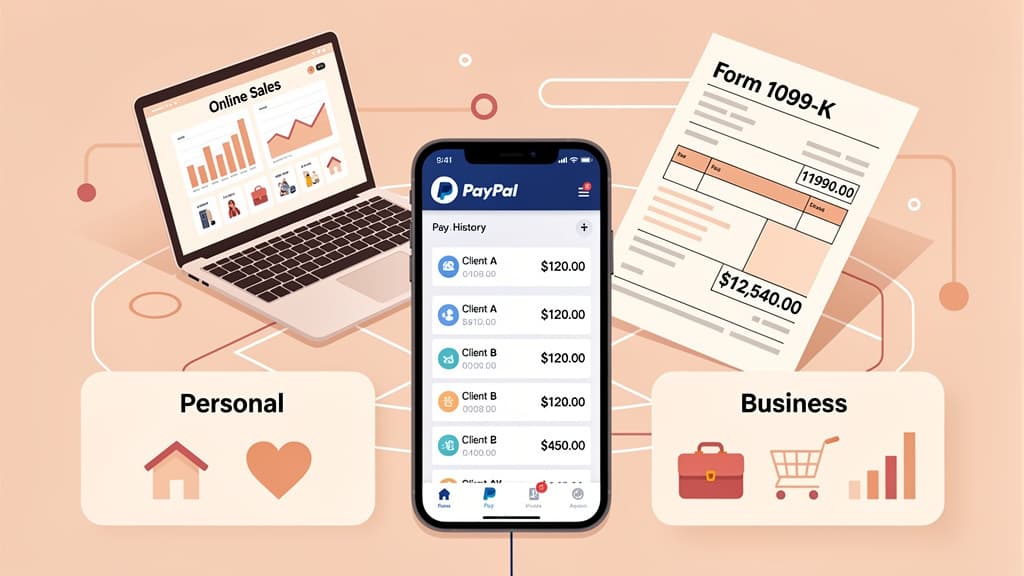
Venmo (and PayPal, Cash App, and other third-party settlement organizations) report payments received for goods and services — not all payments. This is a critical distinction.
When someone pays you through Venmo using the "Goods and Services" option, Venmo tracks that payment as a potential business transaction. If your total goods-and-services payments exceed $20,000 and you have more than 200 such transactions in a calendar year, Venmo will issue a 1099-K.
On Venmo, when you send money, you can choose between:
Friends and Family — No fees, no reporting. This is for personal transactions.
Goods and Services — Venmo charges the seller a fee (1.9% + $0.10) and tracks it for potential 1099-K reporting.
On PayPal, the distinction works the same way. Cash App has a similar system through its "Cash for Business" feature.
Warning: Some freelancers ask clients to pay via "friends and family" to avoid the reporting threshold. This violates the platform's terms of service, removes buyer/seller protection, and doesn't change your tax obligation. The income is still taxable whether or not you receive a 1099-K.
Yes. This is the most misunderstood aspect of 1099-K reporting.
The $20,000 threshold is a reporting threshold for the payment platform, not a tax threshold for you. All income is taxable regardless of whether you receive a 1099-K, a 1099-NEC, or no information return at all.
If you earn $5,000 as a freelancer through Venmo — even though Venmo won't send you a 1099-K — you still must report that $5,000 as income on your tax return. The IRS expects you to report all income from self-employment on Schedule C, regardless of documentation received.
If you sold personal items (a used couch, old electronics, clothing) and received a 1099-K:
Sold at a loss: Report the sale on Schedule 1 or Schedule D, then show the loss. No tax owed.
Sold at a profit: Report the gain. Personal items sold at a gain are generally reported as capital gains.
For example, if you sold a used laptop for $500 that you originally bought for $1,200, you have a $700 loss — no tax owed. But you may still need to report the transaction if you received a 1099-K for it.
If your 1099-K includes payments that aren't income (personal reimbursements, accidental "goods and services" payments from friends), here's how to handle it:
Step 1: Report the full 1099-K amount on the appropriate form (Schedule C or Schedule 1)
Step 2: Subtract the non-income portion. On Schedule C, you can include an offsetting entry. On Schedule 1, you report the full amount then show a reduction with a description like "Personal items sold at a loss" or "Non-income amounts on 1099-K."
Step 3: Keep documentation. Save screenshots, messages, or records that prove certain payments were personal, not business income.
Pro tip: The IRS has stated that you should never contact them to report an incorrect 1099-K. Instead, contact the issuer (Venmo, PayPal) to request a corrected form, and keep records to support your return.
Stripe, Square, Etsy, eBay, Amazon, and other marketplace/payment processors follow the same IRC §6050W rules. If you sell through multiple platforms, each platform reports independently — the $20,000 threshold applies per platform, not in aggregate. Card sellers can check Square's 1099-K rules and state triggers separately.
Open a separate Venmo Business Profile or PayPal Business account. Route all client payments through the business account. Use your personal account only for personal transactions.
Most payment apps let you add notes or memos. For business payments, include the client name, invoice number, or project description. This creates a built-in record.
Don't rely on the payment app as your bookkeeping system. Use a separate tracking method — a spreadsheet, accounting software, or a tool like Jupid that connects to your bank and automatically categorizes transactions with 95.9% accuracy.
Resist the temptation to accept business payments as "friends and family" transactions. Besides violating platform terms of service, it creates problems when the IRS sees business deposits in your bank account that don't match your reported income.
If you can't get a corrected 1099-K in time, file your return reporting the full amount shown on the 1099-K, then use an adjustment line to offset the non-income portions. Attach documentation supporting your position.
The IRS statute of limitations for audits is generally three years from filing. Keep all records — transaction histories, screenshots, correspondence with the platform — for at least that long.
The reporting threshold and your tax obligation are completely separate. You owe tax on all income, period. Even if you earn $19,000 through Venmo and don't receive a 1099-K, that $19,000 is taxable if it's business income.
This doesn't eliminate your tax obligation — it just makes your records messier and violates the platform's terms of service. It can also raise red flags if the IRS sees large deposits in your bank account that don't match reported income.
Several states have thresholds as low as $600. You can receive a state 1099-K even when the federal threshold isn't met. Ignoring these forms creates state tax compliance problems.
Mixing personal and business payments on the same account creates a documentation nightmare. When a 1099-K arrives, you'll spend hours trying to identify which payments were personal and which were business income.
If you're self-employed and receiving income through payment apps, you likely need to make quarterly estimated tax payments. The IRS expects you to pay as you earn, not once a year. Missing payments triggers underpayment penalties.
Tracking income across Venmo, PayPal, Cash App, and direct bank deposits gets complicated fast — especially when some platforms report to the IRS and others don't.
Jupid connects directly to your bank accounts and categorizes every transaction with 95.9% accuracy. Instead of manually sorting through payment app transfers and trying to match them to income records, Jupid's AI identifies business income automatically and keeps it separate from personal transfers.
The difference this makes at tax time is significant. When a 1099-K arrives, you can immediately cross-reference it against your Jupid records. If the amounts don't match — because of personal payments mixed in or refunds included in the gross total — you have the documentation to prove it.
For independent contractors juggling multiple income sources, Jupid's WhatsApp and iMessage AI accountant lets you ask questions about your income and deductions in real time. No waiting until tax season to figure out where you stand.
Start tracking your income with Jupid — connect your bank, get your transactions categorized, and stop worrying about which payment app reported what to the IRS.
The 1099-K rules are finally stable after years of changes. The threshold is back to $20,000 and 200 transactions — a level most casual sellers and small-time freelancers won't hit on any single platform.
But stability in reporting rules doesn't change the underlying tax obligation. Every dollar of business income is taxable, whether Venmo reports it or not. The smartest move is to separate your business and personal payment accounts, track income independently, and reconcile regularly so there are no surprises when tax season arrives.
Disclaimer
This article provides general information about 1099-K reporting rules for payment platforms and should not be considered tax advice. Reporting thresholds, state requirements, and platform-specific rules are subject to change. Your actual tax liability depends on your income, filing status, and specific circumstances. For advice tailored to your situation, consult with a qualified tax professional.
Fintech CEO with 10+ years building accounting and financial technology products. Previously co-founded and scaled an AI-powered accounting platform to $30M revenue and 100K+ business users, achieving 30,000 customers per accountant through automation — recognized by CNBC as a top fintech company. Holds a Master's in Management Information Systems. At Jupid, he leads the development of AI-native bookkeeping, tax, and compliance tools designed for freelancers and small business owners.