

AI & AccountingAug 2, 2026
AI Agents for Accounting Firms in 2026: Back Office vs Client Side
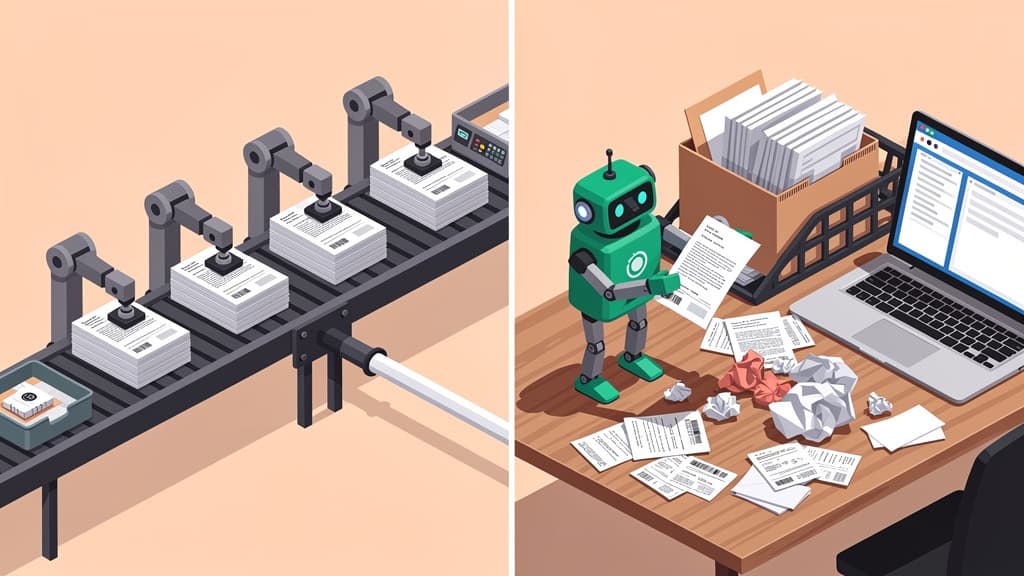
In 2026, nearly every AI agent for accounting firms runs in the back office. None stands on the client's side, where the documents actually hide.
Read more
Fact-checked by Jupid experts
Reviewed by our in-house tax team before publishing. Every figure is validated against:
Last reviewed: August 1, 2026

To get clients to send documents, make the request executable instead of categorical: name the exact artifact ("2025 business checking statements for the account ending 4821"), send one link that opens without a login, and tie the deadline to a consequence the client can see. Everything else on the market (portals, reminder sequences, organizers) automates the asking. FileInvite's research pegs the cost of the status quo at 10.5 hours per employee per week lost chasing documents, and the durable fix removes the search itself, not just the awkwardness of asking twice.
Key takeaways:

Save this cheat sheet — key numbers in one image.
A document request looks like a message but lands like a task. "Send over your 2025 bank statements" asks the client to remember which of their three accounts is the business one, log into a bank portal they visit twice a year, find where that portal hides statements, download twelve separate PDFs rather than the CSV the bank offers first, notice that March is missing because the account changed banks mid-year, and upload all of it to the right place. Six steps, three passwords, at least one judgment call.
That is the easy request, because the client at least knows what a bank statement is. Harder requests fail before step one. A client who runs their shop on Stripe often does not know whether a 1099-K exists, whether Stripe emailed it or parked it in a dashboard tab, or whether the payout report they did find is the same thing (it is not). A client with an HSA assumes the W-2 covers it; Form 1099-SA and Form 5498-SA never cross their mind because nobody told them an HSA files its own paperwork.
At Anna Money, where we worked with more than 60,000 small businesses, I watched this from the client's side of the desk: the requests that came back the same day read like instructions, and the requests that sat for three weeks read like categories.
The diagnosis behind every stalled request follows from that. The client is not ignoring you. The client is quietly failing homework they never agreed to do, and reminder number three does not make the homework easier. It makes it louder.
The vendors who sell document-collection software publish the best research on the pain, so read these as vendor claims with an obvious motive, and notice that they all point the same direction.
Run the arithmetic as an illustration on a 12-person tax firm where four people touch document collection. At even one third of FileInvite's number, that is roughly 14 staff-hours per week of asking, checking spreadsheets of what came in, and re-asking. In season, none of those hours are billable. That is the fuel the reminder engine runs on, and the reminder engine is usually a person who was hired to do accounting.
Interactive
How many staff-hours does your reminder engine burn?
The article's arithmetic with your headcount: pick how much of FileInvite's 10.5 hrs/week benchmark fits your firm.
Your reminder engine
≈ 14 staff-hours/week
Asking, checking spreadsheets of what came in, and re-asking — in season, none of it billable.
Benchmark: FileInvite's published 10.5 hrs/employee/week chasing figure (vendor research, lending sector). Year = 52 weeks; a staff-week = 40 hours.
Book a 30-min walkthroughNone of the fixes below require new software, and each one genuinely moves the response rate. Each also has a ceiling worth naming out loud, because the ceilings explain why the chase never fully dies.
The single highest-return change in how you ask clients for documents is specificity. Compare what firms send with what gets answered:
| What firms send | What gets answered |
|---|---|
| "Your bank documents" | "2025 statements for the business checking account ending 4821, January through December" |
| "Income documents" | "The 2025 Form 1099-K from Stripe. Check for an email from Stripe, or the Documents section of your Stripe dashboard" |
| "Payroll reports" | "The four quarterly Form 941s and the W-2/W-3 package for 2025, both downloadable from Gusto" |
| "Your prior tax return" | "The full 2024 return PDF from your previous CPA: the version with Schedule C and the depreciation schedule, not the two-page e-file summary" |
| "HSA information" | "Form 1099-SA and Form 5498-SA from your HSA provider. They are separate from your W-2 and usually sit in the provider's own portal" |
A specific request does three jobs a category cannot: it gives the client the search term, the likely location, and a definition of done.
The ceiling: precision helps the client who knows where the thing lives. The client who has never opened their Stripe dashboard still faces the search, now with better directions to a place they have never been.
Every extra credential is a place for a request to die. The market has converged on this point: TaxDome, the practice-management suite, promotes that its client requests work with no login required, and half the industry now sells magic links instead of passwords. Match the standard: one link, opens on a phone, saves progress, no account creation, no PDF attachments that require printing.
The ceiling: a no-login link removes upload friction, which is real but small. The expensive friction is the search that happens before the upload, and a frictionless door does not shorten the hallway.
Five emails, each with one more thing you forgot to request, train clients to wait for the final list. Build the complete request list from the prior-year return before the first email goes out: every account that issued statements, every platform that issued a 1099, every recurring document from last season. Send it once, as a checklist the client can watch shrink. If you want the client-facing baseline for a typical small-business engagement, our small business tax prep checklist is built to be handed over.
The ceiling: a complete list is longer homework delivered in one envelope. Completeness protects your workflow and your review time; it does not make any single item easier to find.
"At your earliest convenience" is not a date, and "ASAP" is a mood. A deadline works when the client can see what it protects: "Documents in by March 6 keep you in our March filing batch. After that we file an extension and your return moves to May." No drama, no guilt: scheduling. Consequences the client can see beat urgency the client is supposed to feel.
The ceiling: deadlines relocate procrastination rather than removing it. The night-before search is still a search, now performed at 11 p.m. with more resentment.
A document request email cadence that works is boring on purpose: day 0, the request; day 4, a reminder listing only what is still missing; day 8, the same shrunken list in a different channel (a text, if you emailed); day 12, a two-minute phone call. The tone never sharpens. The channel changes and the list gets shorter. Two sample phrasings you can lift:
Initial request. Subject: 3 documents for your 2025 return. Hi [first name], to finish your return we need exactly three things: (1) 2025 statements for the business checking account ending 4821, (2) the 2025 Form 1099-K from Stripe (check for an email from Stripe, or Dashboard → Documents), (3) the four 2025 quarterly Form 941s from Gusto. Upload here, no login needed: [link]. Everything in by March 6 keeps you in the March filing batch.
Day-4 reminder. Hi [first name], two of your three items are in. Still missing: the Stripe 1099-K. It lives in your Stripe dashboard under Documents, or search your email for "1099-K". Same link: [link].
A full template library, organized by engagement type with complete reminder sequences, is its own article; these two carry the pattern that matters: exact artifact, likely location, one link, visible deadline, shrinking list.
The ceiling, and this one is the whole problem in miniature: reminder four is exactly as polite as reminder one and exactly as unable to tell the client which of their three checking accounts you mean. A reminder adds urgency. It does not add information.
Prior-year context turns a scavenger hunt into a confirmation exercise: "Last year you had 1099s from Schwab and from Chase. Do both accounts still exist?" is a question a client can answer from memory, while "send all your 1099s" is a research project. The same pass catches corrected 1099s that quietly replaced the originals in February, and accounts that appeared this year for the first time.
The ceiling: hints narrow the search; the client still runs it, in an inbox with 14,000 unread messages, on a laptop where the Downloads folder is an archaeological site.
Name-the-artifact, no-login links, batched lists, deadline design, escalating cadences, prior-year hints: each fix improves how documents get requested, and that is exactly the boundary of what it improves. Document collection has moved through two eras and is standing at a third. The email era scattered requests and attachments across threads. The portal-and-reminder era, where nearly every current tool lives, brought checklists, secure links, and automated nudges. Portals turned "reply to 12 emails" into "upload 12 files," which was genuine progress; the homework survived the upgrade. Our guide to client document collection software maps that market vendor by vendor, and our client portal guide compares the portal layer's adoption numbers.
The third era automates the finding. A client-side agent works on the client's side of the request: the firm sends the request; the client approves where the agent may look (a specific inbox, the Downloads folder, a bank or Stripe session); the agent searches those approved sources, assembles candidates into a packet, and flags gaps, like a missing March statement or a wrong-account file it excluded; the client reviews and approves the packet; the packet lands in TaxDome, Canopy, SafeSend, or SharePoint, wherever the firm already works. The client's job compresses from "find twelve documents across five logins" to "approve what was found." Your stack stays where it is. The broader map of who ships what in agent land, back office and client side, is in our guide to AI agents for accounting firms.
Tactics with a reliable record of making things worse:
And honest limits that no fix on this page escapes, including the agent: paper in a shoebox still needs a human with a scanner. A document that was never issued cannot be found (if Stripe never sent a 1099-K because the client is under the reporting threshold, the fix is a payout report, not a deeper search). A client who declines to approve access has told you something no software addresses. And even an agent-assembled packet costs the client a few minutes of real attention to review and approve. The honest promise is fewer, shorter chases. Anyone promising the chase disappears entirely is selling you a fourth reminder with better branding.
Jupid built the client-side agent this article keeps pointing at. Your firm sends the request; your client approves where Jupid can look, whether that is a specific inbox, the Downloads folder, or a bank or Stripe session; the agent finds candidates, assembles the packet, and flags what is missing; the client approves the packet before anything moves. Delivery goes into what you already run: TaxDome, Canopy, SafeSend, or SharePoint. It operates under SOC 2 controls, and nothing in your stack gets replaced. The pilot is deliberately small: pick the one request your team has now sent three times and see how the Client Document Agent handles it.
This guide is for general educational purposes and does not constitute tax, legal, or accounting advice. Vendor statistics cited above are the vendors' own published claims, not independent benchmarks. For advice specific to your firm's situation, consult a qualified professional.

CEO & Co-Founder
Fintech CEO with 10+ years building accounting and financial technology products. Previously co-founded and scaled an AI-powered accounting platform to $30M revenue and 100K+ business users, achieving 30,000 customers per accountant through automation — recognized by CNBC as a top fintech company. Holds a Master's in Management Information Systems. At Jupid, he leads the development of AI-native bookkeeping, tax, and compliance tools designed for freelancers and small business owners.
In 2026, nearly every AI agent for accounting firms runs in the back office. None stands on the client's side, where the documents actually hide.

TaxDome vs Canopy for accounting firms in 2026: current pricing from both vendors, portals, document collection, tax resolution, AI, and the job neither one does.

Client portals for accountants compared with the adoption numbers vendors publish: TaxDome, Canopy, Liscio, SmartVault, Content Snare, plus the step no portal automates.
Set up in minutes. Cancel anytime.
Join 1,000+ businesses using Jupid to save time and money. Start simplifying your finances today.
30-day money-back guarantee