I'm Slava, founder of Jupid. Before this, I built Anna Money, where we worked with more than 60,000 small businesses and grew to $40M ARR. A lot of those owners were sole operators — one person, one bank account, no payroll. Gig drivers are the same animal. You are a one-person business, and the IRS treats you exactly like one.
In conversations with delivery and rideshare drivers, the same story keeps coming up. Someone earns $32,000 on Grubhub, never sets money aside, and gets blindsided by a four-figure tax bill in April. The income felt like a paycheck, so they spent it like a paycheck. But there is no employer withholding taxes for you, and no employer paying half of your Social Security and Medicare. That's all on you now.
The good news is that the same rules that create the bill also create the deductions. Every mile you drive with the app on, the business slice of your phone bill, the insulated bag, the tolls, the parking — those come off your taxable income before the IRS takes a cent. For most drivers, mileage alone wipes out a huge chunk of what they earned, on paper. I have seen drivers cut their taxable income by 40% or more just by tracking miles properly.
This guide walks through how Grubhub taxes actually work in 2026: the forms, self-employment tax, quarterly payments, and a line-by-line list of what you can deduct, with a full worked example. Every number here is checked against current IRS guidance.
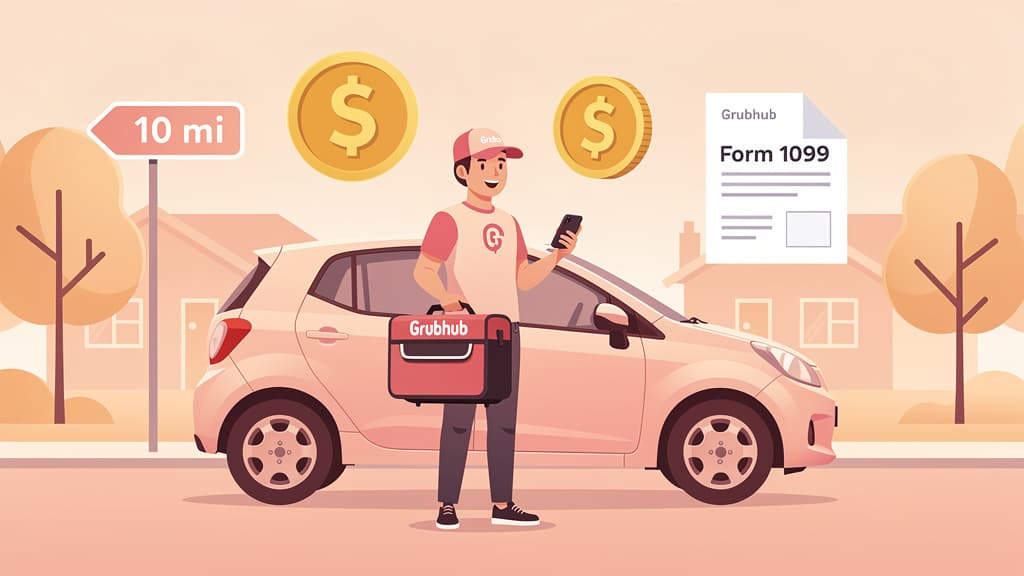
When you deliver for Grubhub, you are not on Grubhub's payroll. You are a self-employed independent contractor running your own delivery business. Grubhub doesn't withhold federal income tax, Social Security, or Medicare from your pay. You don't get a W-2.
That single fact drives everything else. As a contractor you report your earnings on Schedule C (Profit or Loss From Business), you pay self-employment tax on the profit, and you are responsible for sending the IRS estimated tax payments four times a year. In exchange, you get to deduct every ordinary and necessary cost of doing the work — something a W-2 employee mostly can't do anymore.
Here are the figures that matter for your 2026 return, all verified against current IRS guidance.
Item
2026 figure
Source
Standard mileage rate (business)
72.5¢ (Jan–Jun) / 76¢ (Jul–Dec)
IRS Notice 2026-10; Announcement 2026-11
Self-employment tax rate
15.3% (12.4% SS + 2.9% Medicare)
IRC § 1401
Social Security wage base
$184,500
SSA
Deductible portion of SE tax
50%
Schedule SE
QBI deduction
Up to 20% of net business income
IRC § 199A
1099-NEC threshold (payer must issue)
$2,000
OBBBA / IRC § 6041A
1099-K threshold (payment-network)
$20,000 and 200 transactions
OBBBA / IRC § 6050W
Quarterly estimates required if you'll owe
$1,000 or more
IRS Form 1040-ES
Two of these changed for 2026 and trip a lot of drivers up. The 1099-NEC threshold rose from $600 to $2,000 under the One Big Beautiful Bill Act, effective for payments made after December 31, 2025. The 1099-K threshold reverted to $20,000 and 200 transactions, also under OBBBA. More on what that means for your paperwork below — but the headline is simple: a higher reporting threshold does not lower your tax. You owe tax on every dollar you earn, form or no form.
If Grubhub paid you $2,000 or more in 2026, the company sends you a Form 1099-NEC (Nonemployee Compensation) by January 31, 2027, with a copy going to the IRS. It reports your total delivery pay, tips, bonuses, and incentives for the year. You'll find it in the Grubhub for Drivers app under tax documents, and Grubhub partners with a delivery service to email or mail it.
Here's the catch that bites people. For tax year 2026 the reporting threshold jumped from $600 to $2,000. So a part-time driver who earned, say, $1,500 may not get a 1099-NEC at all this year — even though that exact person would have received one under the old rule. That income is still 100% taxable. No form does not mean no tax. You report what you earned from your own records regardless.
A 1099-K reports payments routed through a third-party payment network. For 2026 the threshold reverted to the old level: more than $20,000 and more than 200 transactions. Most single-platform delivery drivers won't hit that and won't see a 1099-K. If you do get one, don't double-count — coordinate it with your 1099-NEC so the same dollars aren't reported twice. Our 1099-K guide for 2026 breaks down exactly how the two forms interact.
Self-employment (SE) tax is the part that surprises new drivers most. It's the self-employed version of the Social Security and Medicare taxes an employer would normally split with you. Because you're both the employer and the employee, you pay both halves.
The rate is 15.3% on your net earnings: 12.4% for Social Security (on income up to the $184,500 wage base in 2026) and 2.9% for Medicare (no cap). This is on top of regular income tax, and it's why a flat "I'll set aside 15%" rule leaves drivers short.
Two things soften the blow. First, SE tax is calculated on 92.35% of your net profit, not the full amount. Second, you get to deduct half of your SE tax as an adjustment to income on Schedule 1 — no itemizing required. For the full mechanics, see our self-employment tax guide for 2026, and run your own numbers with the self-employment tax calculator.
Here's how it works on $30,000 of net Grubhub profit:
Net Grubhub profit (after deductions):   $30,000
SE-taxable base (92.35%):                $27,705
Self-employment tax (15.3%):              $4,239

Deductible half of SE tax:                $2,120
  (adjustment to income, Schedule 1)
That $4,239 is separate from any income tax you owe. Note the order: SE tax is figured on your profit after deductions, so every mile and expense you track lowers this number too.
For almost every Grubhub driver, vehicle mileage is the single biggest write-off. You drive constantly — to the restaurant, to the customer, to the next pickup — and the IRS lets you turn those miles into deductions.
The IRS business standard mileage rate for 2026 is 72.5 cents per mile for miles driven January 1–June 30, 2026, and 76 cents from July 1 (IRS Notice 2026-10 and Announcement 2026-11), up from 70 cents in 2025. Multiply your business miles by the rate in effect when you drove them and you have your vehicle deduction. The rate already bundles in gas, insurance, repairs, and depreciation, so you don't deduct those separately when you use this method.
Driving between deliveries while the app is on and you're available
Driving to a delivery zone to start your shift (varies; treat conservatively)
Trips to buy supplies like a hot bag or phone mount
Miles that don't count: personal errands with the app off, and the commute from home to where you start working if you don't have a qualifying home office. Keep those out of your log.
You can instead use the actual expense method — totaling your real gas, insurance, repairs, lease or depreciation, and so on, then deducting your business-use percentage. It's more work and requires far better records, but for an expensive vehicle with low fuel economy it occasionally beats the standard rate. Most delivery drivers come out ahead and save time with the standard mileage method. Our car mileage deduction guide for 2026 compares both methods in detail.
One rule to remember: if you want the option to switch to actual expenses later, you must use the standard mileage rate in the first year you use the car for business.
Let's run real numbers for a driver who treated Grubhub as a full-time job in the first half of 2026. From January through June she earned $34,000 in gross pay and tips and drove 22,000 business miles, tracked with an app — all at the first-half 72.5-cent rate (miles driven on or after July 1 count at 76 cents each).
GROSS INCOME
Grubhub pay + tips (per 1099-NEC):       $34,000

DEDUCTIONS
Mileage: 22,000 mi x $0.725:             $15,950
Phone & data (75% of $1,200):               $900
Insulated hot bags + cooler:                 $90
Phone mount, charger, cables:                $55
Tolls (tracked):                            $260
Parking (tracked):                          $140
Mileage-tracking app subscription:           $60
                                         --------
Total deductions:                        $17,455

NET PROFIT (Schedule C)
$34,000 - $17,455 =                      $16,545

SELF-EMPLOYMENT TAX
SE base (92.35% of $16,545):             $15,279
SE tax (15.3%):                           $2,338
Deductible half of SE tax:                $1,169

QBI DEDUCTION (up to 20%)
20% of $16,545:                           $3,309
Look at what tracking miles did here. Gross pay was $34,000, but taxable profit dropped to $16,545 — and after the half-SE-tax adjustment and the QBI deduction, the income tax base falls further still. Without the mileage log, this driver would be taxed on the full $34,000 and would hand the IRS thousands more. The deduction is real money, but only if you can prove the miles.
Want the same breakdown for your own numbers? Our Grubhub tax calculator runs the full stack — mileage, SE tax, federal income tax, and QBI — from your gross pay and miles.
Mileage is the headline, but the smaller deductions add up fast.
Phone and data. You can't deliver without a phone, so the business-use share of your phone bill and data plan is deductible. Most drivers land around 50–80% business use; pick an honest, defensible percentage. A separate phone used only for Grubhub is 100% deductible.
Hot bags and equipment. Insulated bags, cooler bags, ice packs, a phone mount, chargers, a portable battery — all ordinary and necessary delivery gear, fully deductible.
Tolls and parking. Tolls and parking fees paid while you're working are deductible separately from your mileage. The standard mileage rate does not include them, so add them on top. Keep them out of your "personal" trips.
Other ordinary costs. Your mileage-tracking app subscription, a roadside-assistance membership used for the business, even the business share of car washes can qualify. The test is always the same: ordinary and necessary for the work, under IRC § 162.
What Grubhub does not do: it does not reimburse your miles. The platform may use distance to calculate your base pay, but that is pay, not a reimbursement, and it doesn't reduce your deduction. You still deduct every business mile at the IRS rate — 72.5¢ for miles driven January–June 2026, 76¢ from July 1.
Because nobody withholds tax from your Grubhub pay, the IRS expects you to pay as you go — four times a year. You generally must make quarterly estimated payments if you expect to owe $1,000 or more in tax for the year.
The 2026 estimated-tax deadlines:
Quarter
Income period
Due date
Q1
Jan 1 – Mar 31
April 15, 2026
Q2
Apr 1 – May 31
June 15, 2026
Q3
Jun 1 – Aug 31
September 15, 2026
Q4
Sep 1 – Dec 31
January 15, 2027
A practical rule of thumb for delivery drivers: set aside 25–30% of each payout in a separate account and pay it in quarterly using Form 1040-ES. That covers SE tax plus federal income tax for most drivers. Skip the payments and you can owe an underpayment penalty on top of the tax, even if you pay in full by April.
If the IRS questions your return, the mileage deduction is the first thing it looks at — and "I drive a lot" is not a record. The IRS wants contemporaneous records: a log kept at or near the time of each trip, showing the date, miles, and business purpose. Reconstructing miles from memory in April is exactly what gets deductions thrown out.
A few notes specific to Grubhub:
Grubhub's own mileage summary is not enough. Grubhub may show in-app or "engaged" miles, but those usually only count time from accepting an order to delivery. They miss miles driven while waiting for an offer, repositioning between zones, and driving to supplies — miles you're allowed to deduct. Treat Grubhub's number as a floor, not the answer.
Use a dedicated mileage app. Tools like Stride, Everlance, or MileIQ run in the background and log every trip with a timestamp. The subscription is deductible.
Record odometer readings on January 1 and December 31. Total annual miles plus your business-miles log support the percentage you claim.
Keep receipts for tolls, parking, equipment, and your phone bill. Photos are fine.
Good records do double duty: they protect your deduction in an audit and they make sure you actually claim everything you're owed. The IRS recordkeeping guidance for the self-employed lays out the standard.
Assuming no 1099 means no tax. With the 2026 threshold at $2,000, plenty of part-timers won't get a 1099-NEC. The income is still fully taxable and the IRS still expects it on your Schedule C.
Not tracking miles from day one. This is the costly one. A reconstructed log is weak evidence, and at 72.5–76¢ a mile a disallowed vehicle deduction can mean five figures of lost write-offs. Track from your first delivery.
Forgetting quarterly payments. Treating Grubhub income like a paycheck and waiting until April invites an underpayment penalty. Pay quarterly.
Relying only on Grubhub's mileage number. It undercounts. You're allowed to deduct more miles than the app's engaged-miles figure shows, provided you logged them.
Mixing personal and business money. Running everything through one account makes deductions hard to prove. A separate bank account and card for your delivery business cleans this up instantly.
Setting aside too little. Between 15.3% SE tax and income tax, "I'll save 15%" leaves most drivers short. Aim for 25–30%.
The hard part of gig taxes isn't the math — it's keeping clean records all year while you're out making deliveries. That's where most drivers fall behind, and it's exactly what Jupid handles.
Jupid is an AI accountant that lives in WhatsApp and iMessage. Connect the bank account or card you use for Grubhub, and Jupid pulls in every transaction and auto-categorizes it into the right Schedule C bucket — fuel, supplies, phone, tolls — at 95.9% accuracy. The hot bag you bought, the toll you paid, the phone bill: each one is sorted the moment it hits your account, instead of becoming a shoebox project next April.
When something's ambiguous, you settle it in a quick chat message. Over time Jupid learns how you categorize spending and applies it automatically going forward — you can read more about that in transaction learning. You can also ask for real-time numbers right in chat: "how much have I deducted on tolls this year?" or "what's my estimated tax for Q3?" and get an answer in seconds. When it's time to file, your numbers already line up, and Jupid handles automatic tax filing.
You still drive; Jupid keeps the books. Try Jupid and let the categorization run in the background.
This guide is for general educational purposes and does not constitute tax, legal, or accounting advice. Tax rules and figures change, and individual circumstances vary. Grubhub drivers are classified as independent contractors; if your situation differs, different rules may apply. Consult a qualified tax professional before filing your return.
Fintech CEO with 10+ years building accounting and financial technology products. Previously co-founded and scaled an AI-powered accounting platform to $30M revenue and 100K+ business users, achieving 30,000 customers per accountant through automation — recognized by CNBC as a top fintech company. Holds a Master's in Management Information Systems. At Jupid, he leads the development of AI-native bookkeeping, tax, and compliance tools designed for freelancers and small business owners.